plz
plz-3d-explain
A skill for Claude Code and Codex that creates a single HTML learning page with three.js 3D models of technical concepts and system structures.
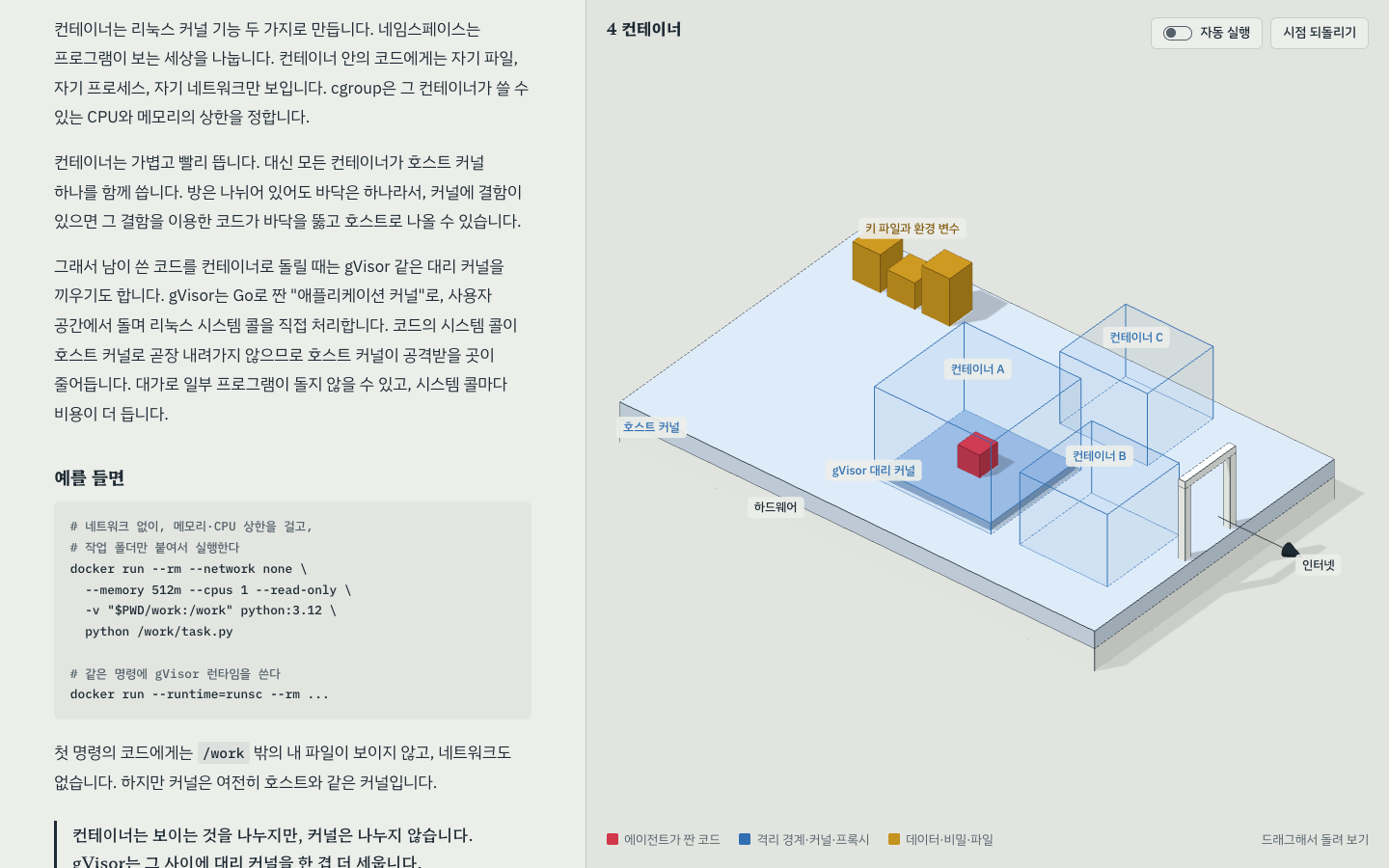
Desktop: chapter 4, containers.
Mobile: chapter 8, OS sandboxing.
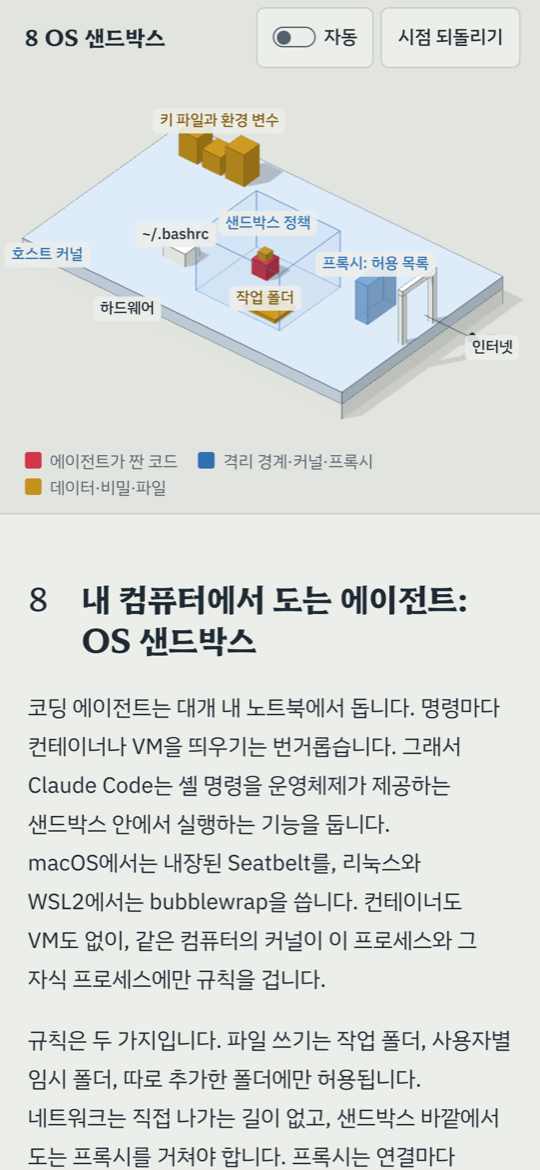
Open the AI agent code sandbox demo in English or Korean: ten chapters on isolation with containers, microVMs, WASM, and OS sandboxes. The example HTML files (English, Korean) are also in the repository. This skill is part of plz, by codekongdev.
   |
Install
To install with npx skills, you need Node.js 22.20 or later (with npm and npx), Git, and Claude Code or Codex. Check the command-line tools first:
node --version
npm --version
git --version
Choose your agent below. -g installs the skill globally, so it is available across projects.
Claude Code:
npx skills add codekongdev/plz --skill plz-3d-explain -a claude-code -g
Codex:
npx skills add codekongdev/plz --skill plz-3d-explain -a codex -g
For this project only, run the matching command from the project directory with -g omitted. The installer stores the skill in .agents/skills/ and links it for Claude Code when selected.
Check the installation for your agent; the list should include plz-3d-explain:
npx skills list -g -a claude-code
npx skills list -g -a codex
For a project installation, omit -g from the check and run it in the same project. If the skill is missing, check the selected agent and installation scope. If it is listed but unavailable in your agent, start a new agent session from the intended project.
For a manual Claude Code installation, clone the repository, then copy or symlink skills/plz-3d-explain to ~/.claude/skills/plz-3d-explain. To copy it:
git clone https://github.com/codekongdev/plz.git
mkdir -p ~/.claude/skills
cp -R plz/skills/plz-3d-explain ~/.claude/skills/plz-3d-explain
See plz-3d-explain on skills.sh.
Usage
After installing, open your agent in the project and invoke the skill directly:
- Claude Code:
/plz-3d-explain Explain container isolation in 3D. - Codex:
$plz-3d-explain Explain container isolation in 3D.
You can also ask in plain language, using the triggers in SKILL.md:
- “Explain the difference between containers and virtual machines in 3D.”
- “Show me a 3D model of how an HTTP request goes through a server to an external API.”
- “Explain in 3D how resources in this repository are created and destroyed.”
The skill checks the material, plans the chapters, fills the template with text and scenes, and validates the finished page in a browser.
What the page includes
- Scenes that follow the text. On desktop, scrolling the text on the left changes the fixed 3D stage on the right to the current chapter’s scene.
- Cause and effect at the press of a button. Each chapter has an action, such as a request moving along a path or an attempt being stopped at a boundary. A sentence explains the result.
- Optional autorun. A switch repeats the current chapter’s action, shows the result, and resets the scene. It is off by default, and the browser remembers the setting.
- An architectural model style. An orthographic camera, white models, ink outlines, and soft shadows show the structure. Red represents the actor; blue, boundaries, rules, and mediators; brass, data, resources, and materials. Drag to rotate the model and use the reset-view control to return to the starting view.
- A mobile layout. In portrait, the stage stays at the top while text scrolls below. In landscape, text and stage sit side by side. The stage title and legend have their own rows outside the model area.
- Terms and sources. Technical terms are explained and collected in a glossary. Sources and verification dates are recorded, and unverified material is marked.
- Language-aware interface text. Buttons, guidance, and titles follow the page’s
<html lang>in English, Korean, Japanese, or Simplified Chinese. Other languages can be added through text overrides in the page; missing entries fall back to English. The page body is written in the user’s language. - Label and screen checks. Validation hooks check label overlaps and clipping. Screenshots of each chapter’s final state are checked against its result text, along with autorun loops and mobile views.
Requirements and limits
The output is a single HTML file with no build step. It loads three.js r170 and web fonts from CDNs, so opening the page requires an internet connection.
The validation step needs a local HTTP server (the skill uses Python 3 in its example) and a browser automation tool the agent can use, such as Playwright. npx skills installs the skill files; it does not install these tools. If they are unavailable, ask your agent to prepare them before validating the page and to report any checks it could not run.
Validation covers console errors, overlapping or clipped labels, horizontal overflow, autorun, and touch gestures. See SKILL.md for the process, the engine API for validation hooks, and gotchas for common issues.
On mobile, models rotate horizontally only. A vertical swipe over the stage scrolls the page; a horizontal swipe rotates the model. Tilting and zooming are not supported.
The engine adjusts labels on narrow stages, but overlaps can remain beyond its adjustment limit. Keep labels short and check the rendered page.
Static architecture or sequence diagrams, data charts, Blender modeling, product landing pages, and app UI design are outside this skill’s scope.
Personal settings
From the installed skill directory, copy the settings example:
cp references/preferences.example.md references/preferences.md
Use the copied file to record fonts, colors, validation tools, the output location for finished HTML, and feedback. These settings override the defaults in SKILL.md; unspecified settings keep their defaults. The personal settings file is ignored by Git.
Contributing
Contributions and translations are welcome. See CONTRIBUTING.md.
License
MIT.
The external resources loaded from CDNs—three.js (MIT) and the Pretendard, Hahmlet, and IBM Plex fonts (SIL OFL)—are not bundled in this repository.